
Help & Knowledge Base
Complete app guide
Learn what each screen does, the fields you'll see, and common workflows in PepCalc Pro.
For concentration math, mcg-to-mL conversion, and offline-first design, see the Guides.
Quick start
A beginner-friendly flow that matches how the app is designed to be used.
Start in Calculator
Enter vial, diluent, target amount, choose a unit preset, verify result.
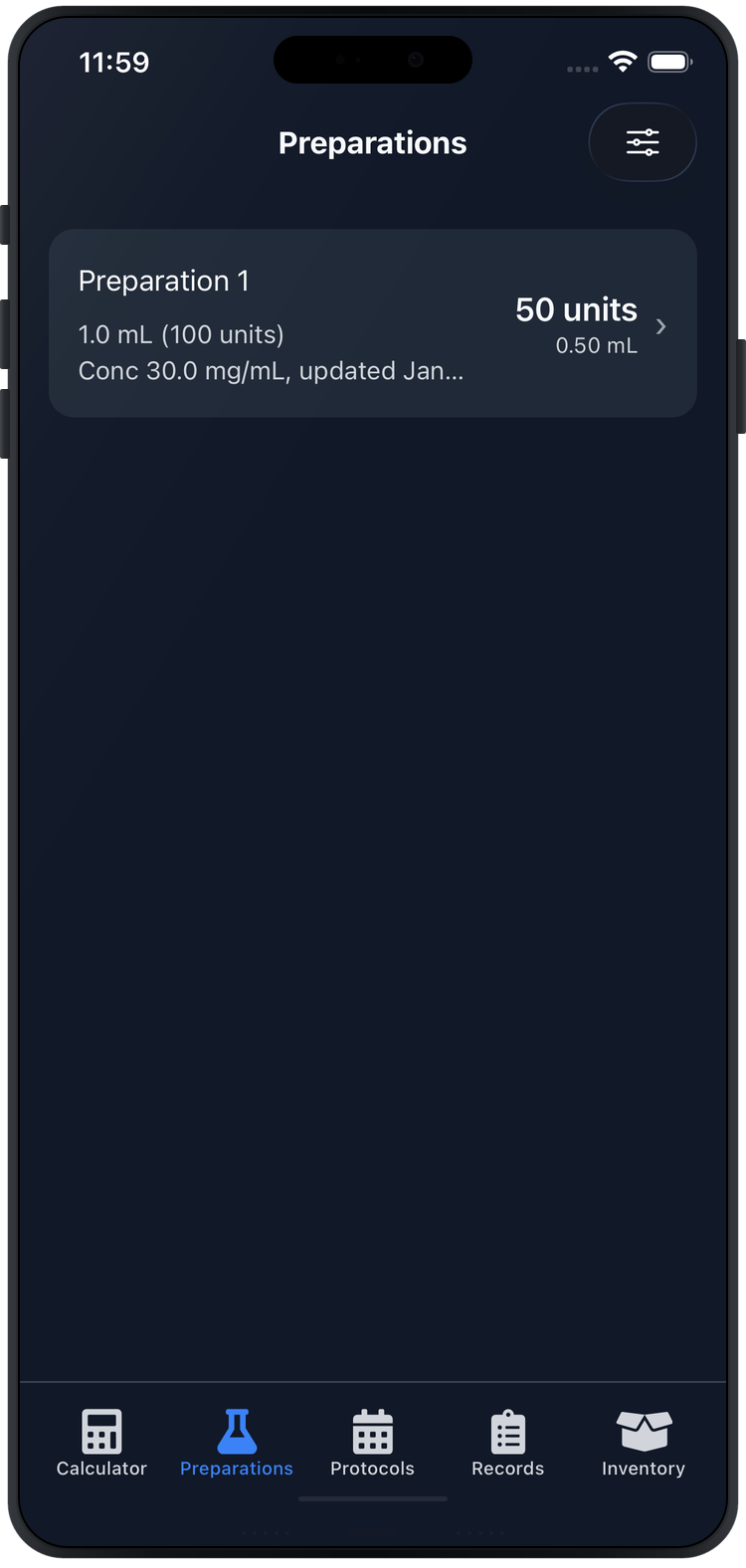
Save a Preparation
Reuse a “recipe” and preserve the show‑math snapshot.
Use Schedules
Every X days + optional local reminders (no servers).
Records + Inventory
Record Completed/Skipped and optionally decrement vials.
Visual tour
Swipe horizontally to preview the main screens.
Topics
Expand only what you need (this is intentionally compact).
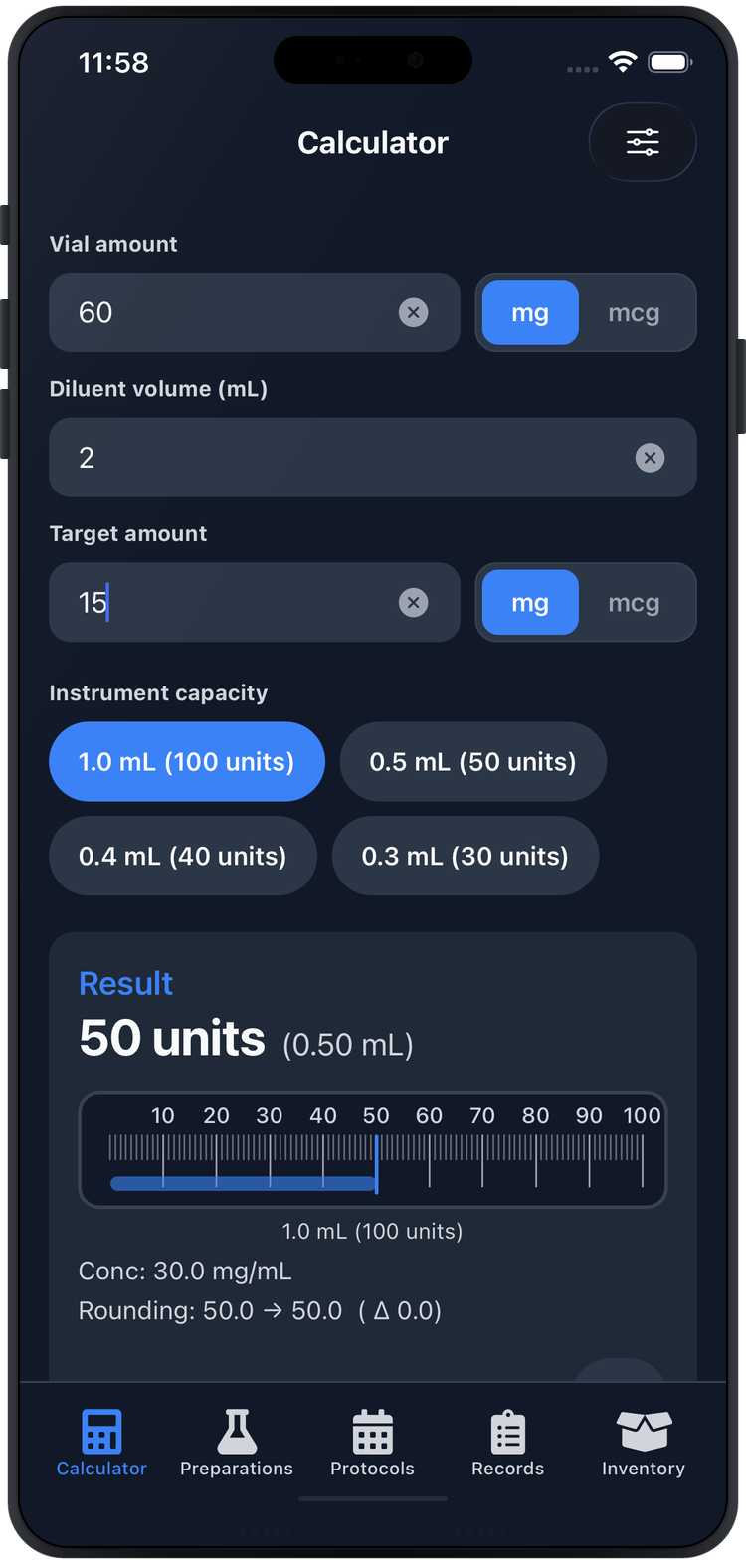
Calculator amount → units → mL
What it does
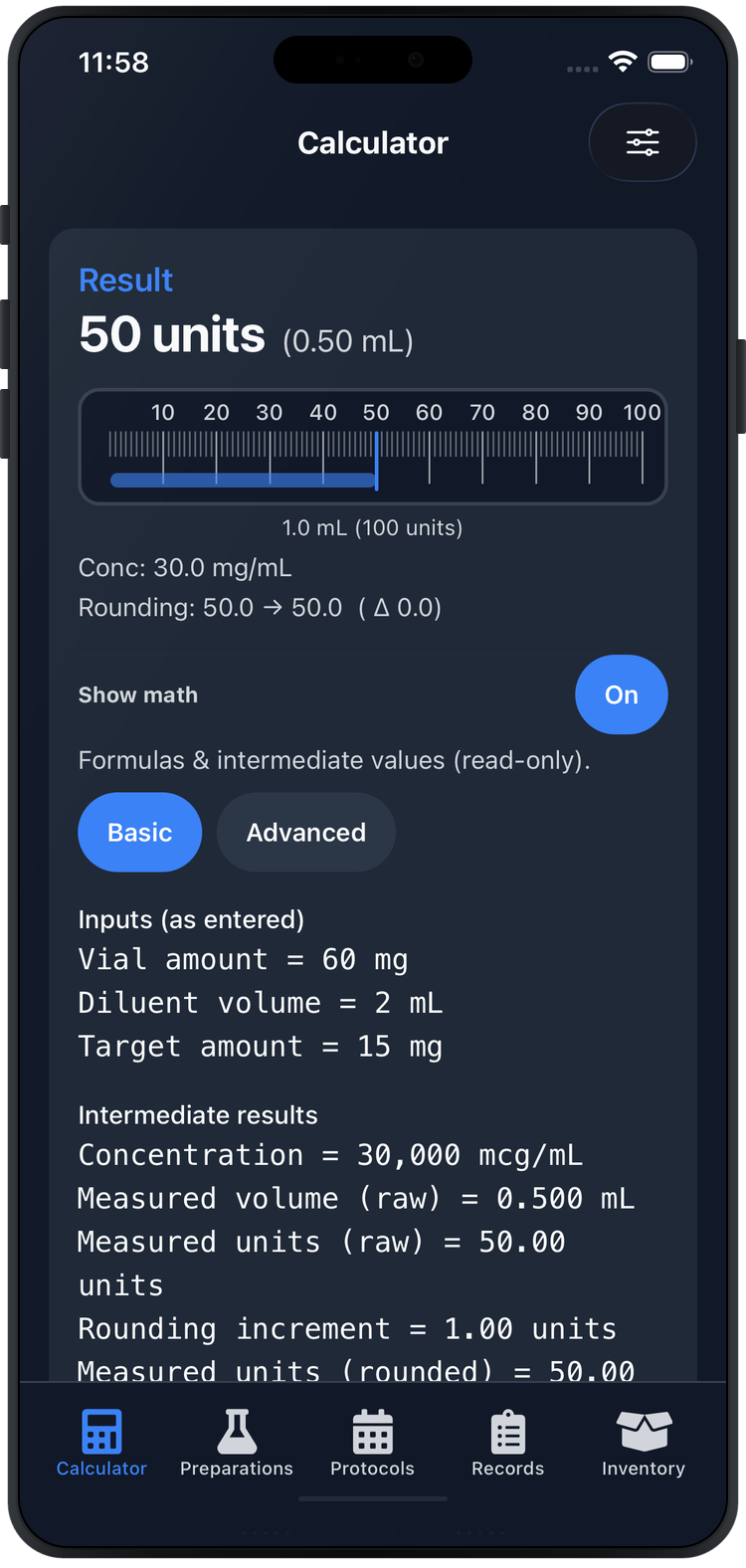
Computes units + mL from vial amount, diluent volume, and target amount.
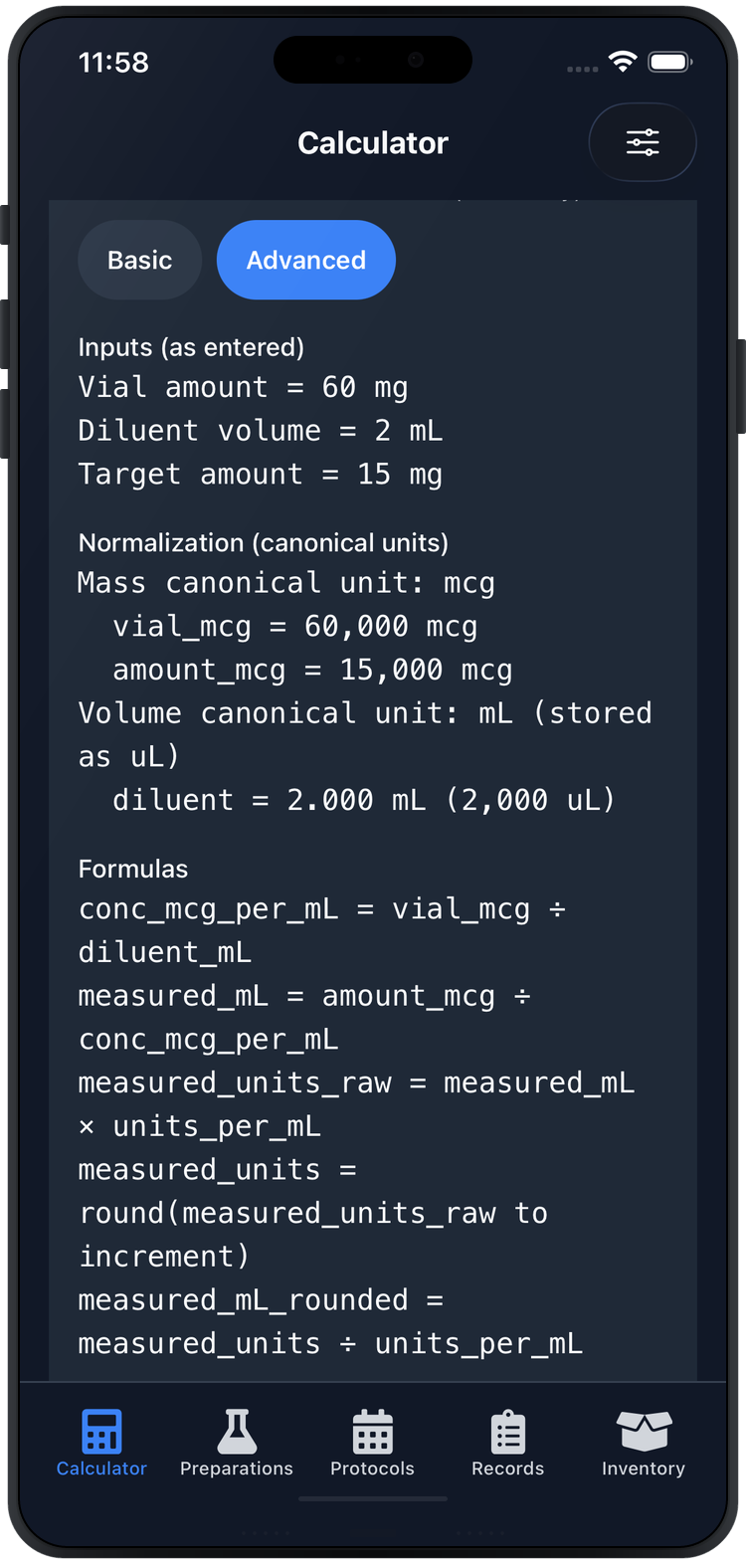
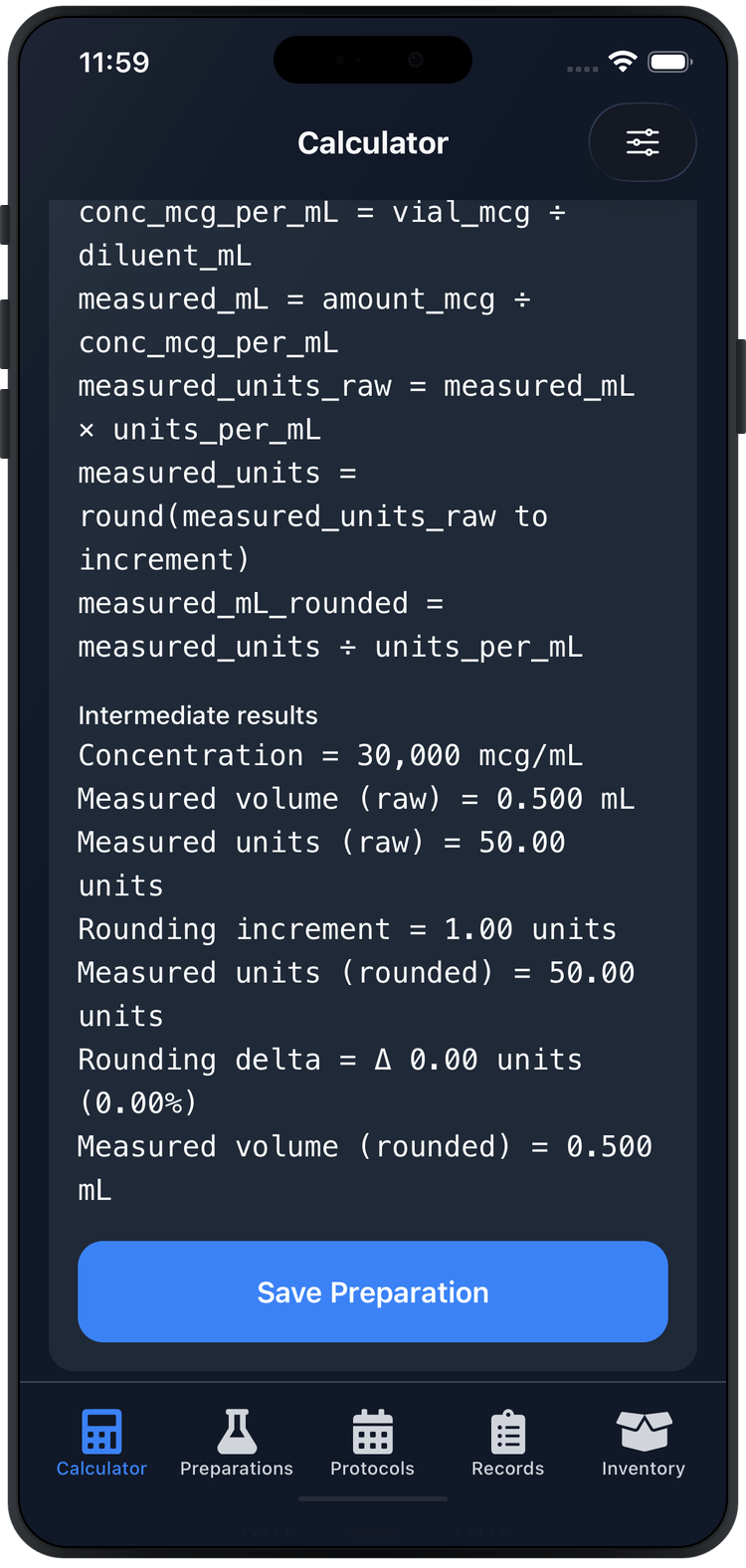
- Optional Show math (Basic/Advanced)
- Optional Advanced rounding (via Settings)
- Tap Save Preparation when valid
Preparations save reusable “recipes”
Key actions
- Save from Calculator with a name
- View result + unit gauge visualization
- Export as PDF or image
- Delete is blocked if referenced by schedules
Schedules & reminders every X days
Key actions
- Create a schedule tied to a Preparation
- Pick Every X days and a start date/time
- Enable/disable local reminders
- Deleting removes future occurrences (history stays)
Records Completed / Skipped
- Record entries manually or from a reminder
- When Completed, optionally decrement an inventory vial
- Edit entries (status/time/notes); inventory decrements reverse when appropriate
- Export logs as CSV or PDF (user-initiated)
Inventory vials + depletion
- Track remaining/total + expiration
- Low-stock alerts and history ledger
- Discard preserves history when needed
Settings security + defaults
- App Lock (Face ID/Touch ID/PIN when available)
- Default units (vial + target amount)
- Toggle advanced rounding controls
- Export/Share entry point and disclaimer access
Privacy note
Reminders are local notifications. No remote servers required for scheduling.
Need more help?
If you run into issues or have feedback, contact us at pepcalc-support@pepcalcapp.com .