The problem
Converting micrograms (mcg) to milliliters (mL) is one of the most common sources of error. These units measure different things: mcg measures mass, mL measures volume. There is no direct conversion between them without knowing concentration. Any tool that allows this conversion without enforcing concentration is guessing.
The correct way to convert mcg to mL
You must know three inputs: total amount (mcg or mg), total volume (mL), and target amount (mcg).
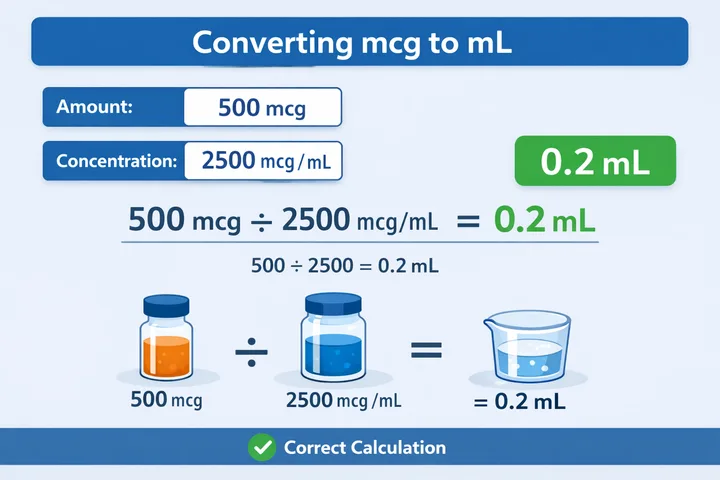
Formula: mL = target mcg ÷ concentration (mcg per mL)
Example: Total amount 5,000 mcg, total volume 2 mL → concentration 2,500 mcg per mL. Target 500 mcg → result 0.2 mL. There are no shortcuts. If any value is missing, the math cannot be trusted.
Common mistakes
- Converting mcg directly to mL
- Mixing mg and mcg without realizing it
- Using calculators that hide intermediate values
- Forgetting which inputs were used last time
These errors compound quickly, especially when reused across multiple preparations.
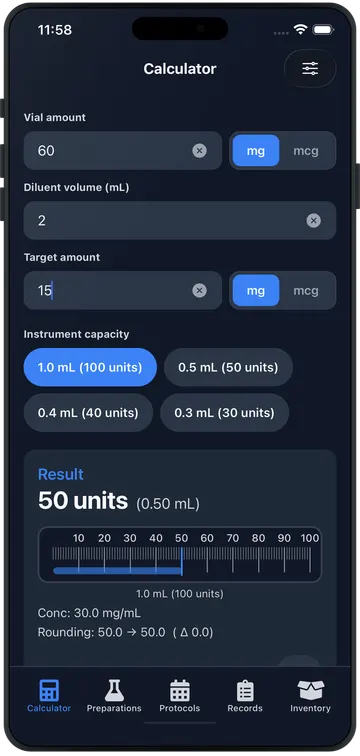
How PepCalc Pro helps
- Requiring explicit inputs
- Performing deterministic calculations
- Showing intermediate values on demand
- Saving calculation snapshots for reuse
You always know exactly how the result was produced.